
For many of us, the iPhone is the first thing we look at in the morning and the last thing we check before bed. While it’s easy to view our devices as sources of distraction or stress, hidden within that sleek glass rectangle is a sophisticated wellness companion waiting to be utilized. The built-in iOS Health app has evolved far beyond a simple step counter; it is now a comprehensive hub for managing your physical, mental, and preventative health.
You don't need an Apple Watch to take advantage of many of these features, though having one certainly adds more data points. Whether you are looking to improve your sleep hygiene, track your moods, or simply remember to take your vitamins, your iPhone has native tools designed to help you thrive. Let’s explore how you can transform your daily wellness routine using the tools already in your pocket.
1. Master Your Sleep Hygiene with "Wind Down"
We often think of sleep tracking as simply knowing how many hours we slept, but the iOS Health app focuses heavily on the behaviors that lead to good sleep. The "Sleep Schedule" feature is useful, but the real game-changer is a feature called Wind Down.
Wind Down works by automatically reducing distractions before your scheduled bedtime. It simplifies your lock screen, dims the display, and turns on "Sleep Focus," which filters out notifications so you aren't tempted to doom-scroll right before trying to sleep. It helps signal to your brain that the day is over.
Here is how to set up a routine that actually sticks:
- Open the Health app and tap on the Browse tab.
- Select Sleep.
- Scroll down to Your Schedule and tap Edit.
- Set your goal for hours of sleep, and then look for the Wind Down option.
- Set Wind Down to start 45 minutes to an hour before your target bedtime.
Pro Tip: You can add "Wind Down Shortcuts" directly to your sleep screen. This allows you to access soothing apps—like a meditation app, a journaling tool, or a white noise generator—without unlocking your phone and seeing a flood of red notification badges.
2. Prioritize Mental Wellbeing with "State of Mind"
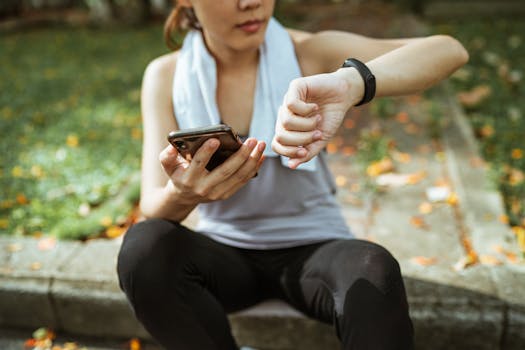
Physical health is easy to quantify, but mental health has historically been harder to track. With recent iOS updates, Apple introduced a feature called "State of Mind," allowing you to log your momentary emotions and daily moods. This isn't just a digital diary; it is a data visualization tool that helps you identify what affects your happiness.
By logging how you feel once or twice a day, you can start to correlate your mood with other lifestyle factors. For example, the Health app can overlay your mood charts with your sleep data or exercise minutes. You might discover that on days you don't walk at least 5,000 steps, your anxiety levels trend higher, or that your mood dips significantly on days you report poor sleep.
To start logging your mood:
- Open the Health app and go to Browse > Mental Wellbeing.
- Tap on State of Mind.
- Choose Log to record how you feel right now (an emotion) or how you've felt overall today (a mood).
- Use the slider to choose a pleasantness level, then select descriptive words like "Grateful," "Anxious," or "Drained."
The interface is beautiful and fluid, making the process feel less like a clinical survey and more like a moment of mindfulness.
3. Manage Medications and Supplements Safely
If you have ever stood in the kitchen asking yourself, "Did I take my vitamin D today?" this feature is for you. Gone are the days of needing third-party apps to track pills. The native Medications feature in iOS is robust, privacy-focused, and incredibly user-friendly.
Beyond just reminding you to take a pill, the app offers educational insights. When you add a medication, your iPhone can alert you to potential interactions between the drugs you are taking, or even interactions between your medication and alcohol or caffeine. This can be vital information that sometimes gets lost in the shuffle of a quick doctor's visit.
Setting this up is surprisingly fast thanks to the camera feature:
- Navigate to Browse > Medications.
- Tap Add a Medication.
- You can search by name, or tap the Camera icon to scan the label on your bottle. The app is remarkably good at reading prescription labels.
- Set your schedule (e.g., "Every day at 8:00 AM") and choose the shape and color of the pill to help you identify it visually.
Safety Note: You can export your medication list as a PDF directly from the Health app. This is incredibly helpful during emergency room visits or when seeing a new specialist, ensuring you provide accurate information about your current regimen.
4. Protect Your Long-Term Senses
Wellness isn't just about how you feel today; it's about preserving your health for the future. Two often-overlooked features in iOS help protect your vision and hearing, which are crucial as we age.
Headphone Safety: If you wear AirPods or other headphones frequently, you might be exposing your ears to damaging decibel levels without realizing it. The Health app tracks your "Headphone Audio Levels." It can automatically reduce loud sounds and notify you if you’ve exceeded the recommended 7-day exposure limit.
Screen Distance: This is a newer feature designed to help reduce eye strain and the risk of myopia (nearsightedness), particularly in children, though it benefits adults too. Using the TrueDepth camera (the same one used for FaceID), your iPhone can detect when you are holding the device closer than 12 inches from your eyes for an extended period. It will gently prompt you to move the phone further away.
To enable Screen Distance:
- Go to your iPhone Settings (not the Health app).
- Tap Screen Time.
- Select Screen Distance and toggle it on.
5. Monitor Mobility and Walking Steadiness
We usually associate mobility issues with advanced age, but changes in how we walk can actually be early indicators of injury, fatigue, or other health issues. Your iPhone, simply by sitting in your pocket while you walk, analyzes your gait.
The metric to watch is Walking Steadiness. It classifies your walking style as OK, Low, or Very Low. A score that trends downward could indicate a loss of balance, muscle weakness, or a change in footwear that is negatively affecting your stability.
If your steadiness drops to "Low," your iPhone can actually send you a notification. This allows you to be proactive—perhaps incorporating more strength training or balance exercises—before a fall or injury occurs. It is a prime example of technology acting as a preventative health guardian rather than just a passive tracker.
Conclusion: Small Data, Big Changes
The beauty of the iOS Health ecosystem is that it meets you where you are. You don't need to be a marathon runner or a bio-hacker to get value from these tools. By setting up a Wind Down routine, logging your state of mind, or ensuring your headphone volume is safe, you are making micro-investments in your long-term health.
Remember, all this health data is encrypted on your device and locked behind your passcode, FaceID, or TouchID. Apple does not have access to your health data unless you explicitly choose to share it. So, take a few minutes this week to explore these menus. You might find that the best personal trainer and wellness coach you could ask for has been in your pocket all along.