
You might look at your wrist and feel like something is missing. In a world where it seems like everyone is sporting a smartwatch to track their every heartbeat and step, it is easy to fall into the trap of thinking you can’t get serious about fitness without spending hundreds of dollars on a wearable device. But here is a secret that Apple doesn’t always shout from the rooftops: the iPhone in your pocket is already an incredibly powerful, sophisticated fitness tracker.
Whether you are training for your first 5K, trying to lose a few pounds, or simply want to be more mindful of how much you move during the day, your iPhone has everything you need to get started. It is packed with motion sensors, GPS capabilities, and intelligent software designed to help you crush your goals. Let’s dive into how you can turn your iPhone into your ultimate personal trainer—no extra accessories required.
1. Master the Apple Health App: Your Central Hub
If you have ever ignored the white icon with the red heart on your home screen, now is the time to open it. The Apple Health app is the brain of your fitness operation. Even if you haven't set it up, your iPhone has likely been tracking your steps, walking distance, and flights of stairs climbed automatically, just by being in your pocket or purse.
The Health app uses the iPhone’s built-in accelerometer to distinguish between walking and running, and the barometer to detect changes in altitude (like climbing stairs). Here is how to make the most of it:
- Set Up Your Medical ID: Start by tapping on your profile picture in the top right corner. Enter your height, weight, and age. This data helps the iPhone calculate your stride length and calories burned more accurately.
- Customize Your Favorites: On the "Summary" tab, tap "Edit" next to Favorites. You can pin the metrics that matter most to you—like Steps, Walking/Running Distance, and Flights Climbed—so they appear at the very top every time you open the app.
- Check Your Walking Asymmetry: This is a hidden gem. Scroll down to "Mobility." Your iPhone can actually analyze your gait to see if you are walking unevenly, which can be an early indicator of injury or balance issues.
Pro Tip: Carrying your phone in a backpack or a loose purse can sometimes result in under-counted steps. for the most accurate passive tracking, keep your iPhone in your pants pocket or a close-fitting jacket pocket while you move.
2. Close Your Move Ring with the Fitness App
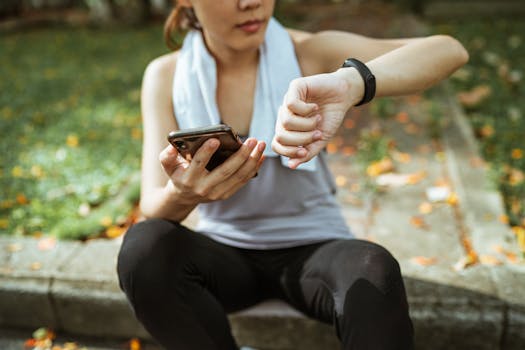
For years, the famous "Closing the Rings" gamification was exclusive to Apple Watch owners. However, starting with iOS 16, Apple unlocked the Fitness app for all iPhone users. This was a game-changer. Now, you can have a daily "Move" goal (measured in active calories) that is fueled entirely by your phone's motion sensors.
The Fitness app takes the raw step and distance data from the Health app and converts it into active calories burned. It motivates you to hit a specific calorie target every day. Watching that red ring fill up as you walk the dog, clean the house, or commute to work is surprisingly addictive.
To set this up effectively:
- Open the Fitness App: It usually comes pre-installed. If you deleted it, download it again from the App Store.
- Set Your Goal: The app will suggest a calorie goal based on your historical data. If you are just starting, choose "Lightly Active." You can always increase the difficulty later by long-pressing the ring and selecting "Change Move Goal."
- Share and Compete: One of the best motivators is social pressure. Tap the "Sharing" tab in the bottom right to invite friends. You can see their progress and they can see yours. Nothing gets you off the couch faster than seeing your best friend closed their ring by 10 AM!
3. Leveraging Third-Party Apps for Specific Workouts
While the Apple Health and Fitness apps are great for tracking general daily movement, they aren't necessarily designed to coach you through a specific workout session. This is where the App Store shines. Your iPhone allows third-party apps to read and write data to the Health app, creating a seamless ecosystem.
If you are a runner or a walker, apps like Strava or Nike Run Club are essential. They utilize the iPhone’s GPS to map your route, calculate your pace, and track your elevation gain with pinpoint accuracy. You don't need a watch to hear a voice in your ear telling you your mile pace; your phone does that through your headphones.
For those who prefer indoor workouts like Yoga or HIIT:
- Nike Training Club (NTC): Offers hundreds of free video workouts. When you finish a workout on your phone, it automatically logs the "Active Energy" into your Health app and counts toward your Move ring.
- YouTube + Manual Entry: If you follow a yoga instructor on YouTube, you can still get credit. Open the Health app, go to Browse > Activity > Workouts > Add Data (top right corner). You can manually log "Yoga," the duration, and an estimate of calories burned.
Privacy Note: When you install a new fitness app, it will ask for permission to access your Health data. Always say "Yes" to both reading and writing data. This ensures that a run tracked in Nike Run Club counts toward your Apple Fitness Move ring, keeping all your goals synchronized.
4. Don't Forget Sleep and Nutrition
Fitness isn't just about how much you sweat; it is also about how you fuel and rest your body. Your iPhone has built-in tools to manage your sleep schedule, which is vital for recovery.
In the Health app (or the Clock app), set up a Sleep Schedule. Your iPhone uses your usage patterns—like when you put your phone down at night and when you pick it up in the morning—to estimate your time in bed. While it won't track your REM cycles like a watch would, it is excellent for enforcing a consistent bedtime routine. You can set "Wind Down" shortcuts that automatically turn on Do Not Disturb and dim your screen 45 minutes before bed.
Regarding nutrition, your iPhone is the perfect food diary. Apps like MyFitnessPal or Lose It! integrate directly with Apple Health. When you log your breakfast in one of these apps, the nutritional data (carbs, protein, fats) is sent to Apple Health. Conversely, your active calories from Apple Health are sent to the food app, adjusting your daily calorie allowance based on how much you moved. It creates a complete picture of "Calories In vs. Calories Out."
5. Practical Tips for Phone-Only Tracking
Relying solely on your iPhone requires a few practical adjustments to ensure your data is as accurate as possible. Since the device isn't strapped to your body, you have to be intentional about how you carry it.
First, consider investing in a good armband or a running belt. Holding your phone in your hand while running or power walking is not only risky (sweaty palms lead to dropped phones!), but it can also skew your gait and posture. A running belt keeps the phone close to your center of gravity, which generally provides better GPS and step tracking.
Second, utilize the "Walking Steadiness" notifications. In the Health app, you can enable notifications that alert you if your walking steadiness creates an increased risk of falling. This is a powerful feature that utilizes the sophisticated motion co-processors in the iPhone to analyze your balance over time.
Finally, be consistent. The iPhone is smart, but it can only track what it sees. If you leave your phone on your desk every time you walk to the water cooler or take the stairs to a meeting, you are robbing yourself of credit. If you want to close that Move ring, take the phone with you!
Your fitness journey doesn't require the latest wearable technology. It requires consistency, motivation, and a little bit of knowledge about the tools you already own. By maximizing the potential of the Health app, engaging with the Move ring, and utilizing third-party integrations, your iPhone transforms from a distraction into your greatest accountability partner.